What is a language model? A plain explanation
The language model is the engine in most AI assistants. You do not need to understand the maths. But you do need to understand what it does, what it does not do and what that means for your decision.
 iSearch
Contents
There is a lot of talk about AI, but most of it comes down to one thing. Language models. They are what let an assistant understand a question written in plain words and answer in clear text. You do not need to understand the maths behind them to make a good decision. But it helps to know what they do, and what they do not.
A program that has learned language
A language model is a program trained on very large amounts of text. From it, the model has learned patterns. Which words tend to follow each other, how a question is usually answered, how an email or a routine is put together. When you ask a question, the model writes an answer, word by word, based on those patterns.
The result can be surprisingly good. A language model can summarise a long document in seconds, draft a first reply to a customer or turn messy meeting notes into a tidy list. These are tasks that take a lot of time in an ordinary working day, and that is where the model can give time back.
But a language model does not know what is true. It knows what sounds plausible. Usually that is the same thing, but not always. If the material is missing, the model can write an answer that sounds certain but is wrong. Nor does it know your organisation. Your routines, contracts and decisions are not in its general training, and it knows only as much about what applies now as the material it is given.
The right material makes all the difference
Most of this is solved the same way. Do not let the model answer from memory. Let it answer from your own documents.
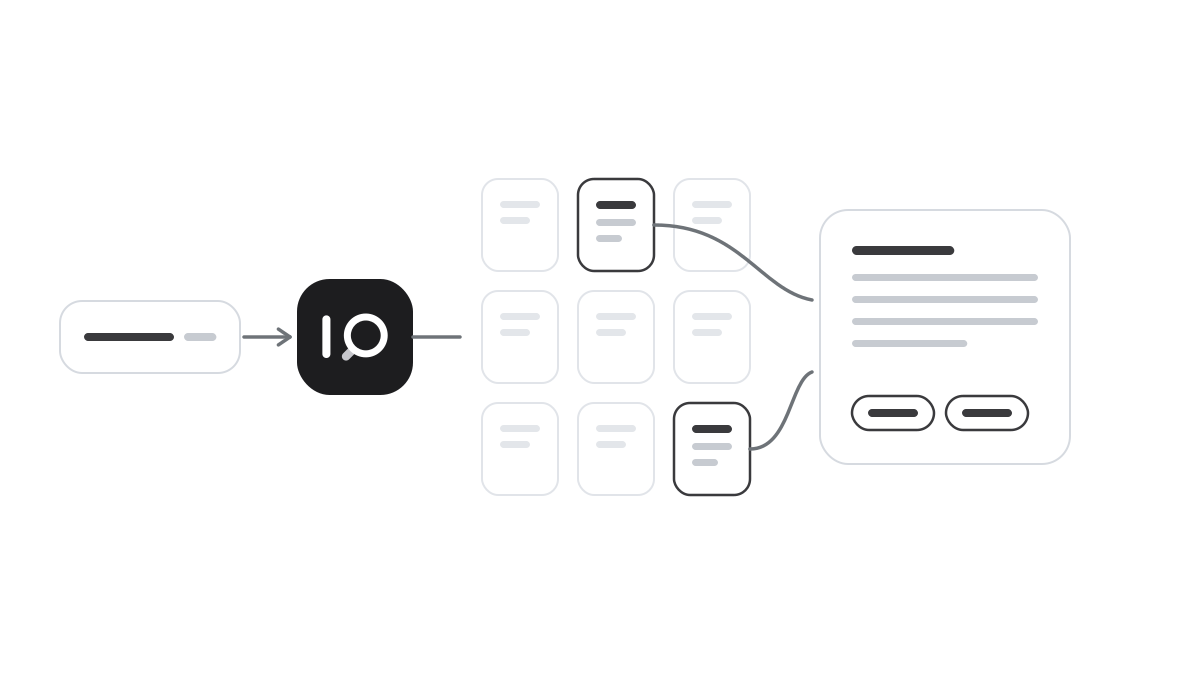
The assistant first finds the parts of your documentation relevant to the question. Then the language model writes an answer based on exactly those, and the answer shows which documents it relies on. Someone asking about the rules for business travel gets an answer from your own travel policy. She can open the policy and check.
That gives three benefits at once. The answers are about your organisation, they are as current as your documents and they can be checked. An answer that can be checked can be used at work, for example in a reply to a customer or a decision memo.
There are many language models, in different sizes. Bigger is not always better. To answer from your own documents, a model that can run in your own environment is often enough. What matters is that the answers hold up and that you stay in control.
Where the model runs matters
Many people think of language models as something that only lives in the cloud. It does not have to be that way. A language model can run in your own environment, along with the rest of the chain. Where the model runs decides where your questions and documents end up. If the model runs with you, they never leave the organisation.
Ask about training as well. Using a model is not the same as training it. A secure solution uses your documents to answer your questions, but does not train the model on them. Ask the supplier directly. The answer should be a clear no.
So it is not the technology itself you need to decide on. It is how it is used, with which material and where.
How it works in iSearch
In iSearch, the assistant answers from your own documents, and every answer shows which documents were read. The language model can run in your own environment, and the whole chain with it. Your data is never used to train models.
See how the product works, read about what an AI agent is and about security or book a walkthrough.
Want to see how it would work for you?
We’ll show you iSearch with your own documents.